
Income & Expense

How to record money in and money out

Invoices show what you billed. Income and expense show what actually moved. Keep both updated so you know what is still unpaid and what this month looks like.

01Step 1

Record income when money comes in

Open Income & Expense → Income (or use + Create). Enter the date, amount, and a short description. Choose the party and company. If this payment is for a sales invoice, apply it to that invoice so outstanding comes down.

TipEven a small receipt against an invoice is useful—the invoice becomes Partial until the balance is paid.
IncomeReceipt
₹100 against INV-01
  • Date30/09/2026
  • PartySite Customer
  • Applied to invoiceYes
Invoice statusPartial

02Step 2

Record an expense when you pay out

Add an expense with date, amount, and description. Optionally link a vendor, party, project, or company so you know what the cost was for later.

ExpenseMoney out
Site transport
  • Amount₹3,200
  • Vendor / projectOptional
  • CompanyYour business

03Step 3

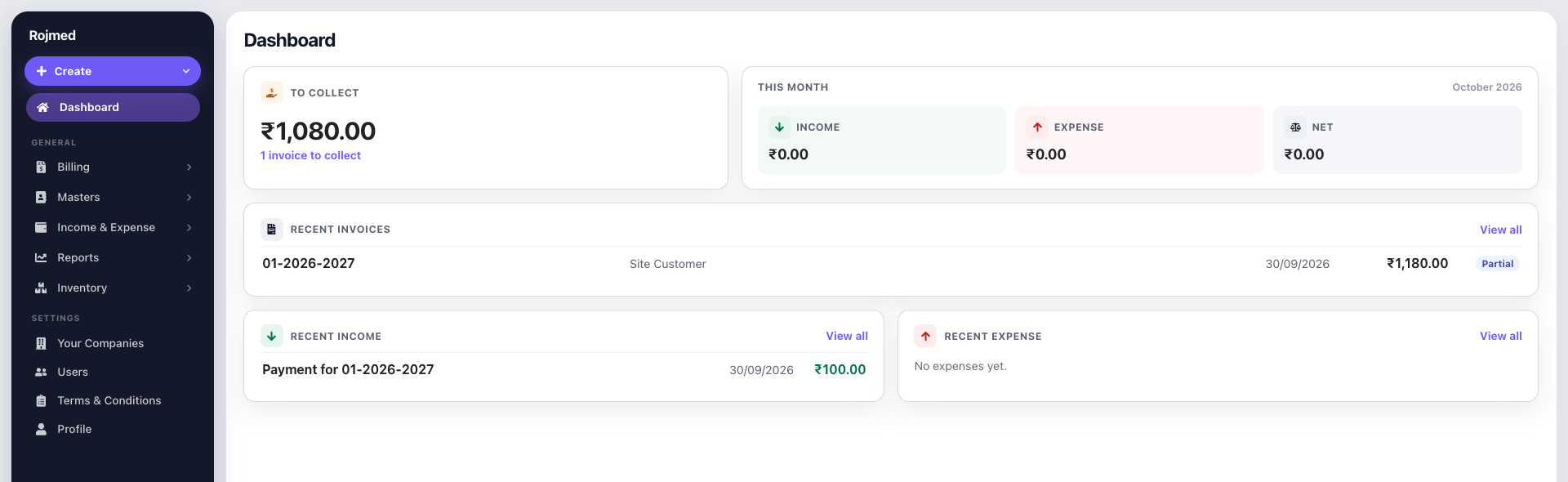
Check this month on the dashboard

The dashboard shows this calendar month’s income, expense, and net. Recent income and expense sit under your invoices so you can open and edit them quickly.

Dashboard this month income, expense, and net cards

04Step 4

Use filters when the list grows

On the income and expense lists, filter by company, date range, and party or vendor—the same idea as your invoice lists—so you can find one entry without scrolling forever.

ListsFilters
Find one entry fast
C Company
D Date range
P Party or vendor

Try these steps in your account.

14-day free trial · no card needed. Sign up, then follow the guide with your own business details.